
Extending portable power station runtime starts with using less energy, matching loads to battery capacity, and preparing reliable ways to recharge. Many users focus only on battery size, but actual backup time depends just as much on what you power, how you charge, and how efficiently the station operates between sessions. Small adjustments, such as turning off idle AC output, avoiding unnecessary devices, and planning solar or wall charging in advance, can add meaningful hours of use. With the right habits, you can get longer backup time without changing your core equipment at all.
Reduce Energy Consumption to Maximize Runtime
Prioritize Essential Devices and Avoid Unnecessary Loads
The fastest way to extend runtime is to decide which devices truly matter. Start with essentials such as phones, lights, routers, medical equipment, or a small refrigerator, then disconnect comfort items that add steady drain without much value. High-wattage appliances, space heaters, and large cooking devices can empty a battery far faster than expected. It also helps to avoid plugging in chargers or electronics that remain in standby mode, because small phantom loads add up over several hours. Create a simple priority list before an outage or trip so you know what stays on first. That approach prevents waste and preserves power for the devices you actually need most.
Use Energy-Efficient Charging Methods and Settings
Charging devices efficiently can preserve more stored energy for longer use. Whenever possible, charge phones, tablets, cameras, and similar electronics through DC or USB outputs instead of running the inverter for small loads, since AC conversion introduces losses. Lower screen brightness, enable battery saver modes, and charge devices before they drop to critically low levels, because deep recharging multiple items at once increases demand. If your power station offers app-based monitoring, use it to spot inefficient usage patterns and adjust output settings in real time. The Anker app for the Anker SOLIX F3800 Plus Portable Power Station helps track charging, usage, and battery status, making it easier to reduce waste.
Optimize Portable Power Station Usage for Longer Backup Time
Understand Battery Capacity and Device Power Demands
Longer backup time begins with knowing how much energy your station stores and how quickly your devices consume it. Battery capacity is usually measured in watt-hours, while device demand is measured in watts. Divide usable watt-hours by the total running wattage to estimate runtime, then reduce that figure slightly to account for conversion losses. A 100-watt load will run far longer than a 1,000-watt appliance, even on the same unit. Check both running wattage and startup surges, especially for refrigerators, pumps, and tools. When you understand these numbers, you can rotate loads, avoid overloads, and make smarter decisions about what to power continuously versus only when needed.
Manage AC Output, Charging Cycles, and Standby Consumption
Portable power stations often lose energy through unnecessary inverter use, repeated partial charging habits, and standby draw from connected equipment. Turn on AC output only when you need to power AC devices, then switch it off afterward to reduce idle consumption. Unplug adapters, chargers, and appliances that continue drawing power even when they seem inactive. Try to group charging sessions instead of cycling the battery for many small, scattered tasks throughout the day. Fewer unnecessary cycles can support better long-term battery performance. It also helps to monitor output patterns regularly so you can catch waste early. Small operational changes like these often deliver noticeable runtime gains without changing battery size or usage goals.
Improve Runtime Through Better Preparation and Maintenance
Plan Recharging Options Before Extended Use
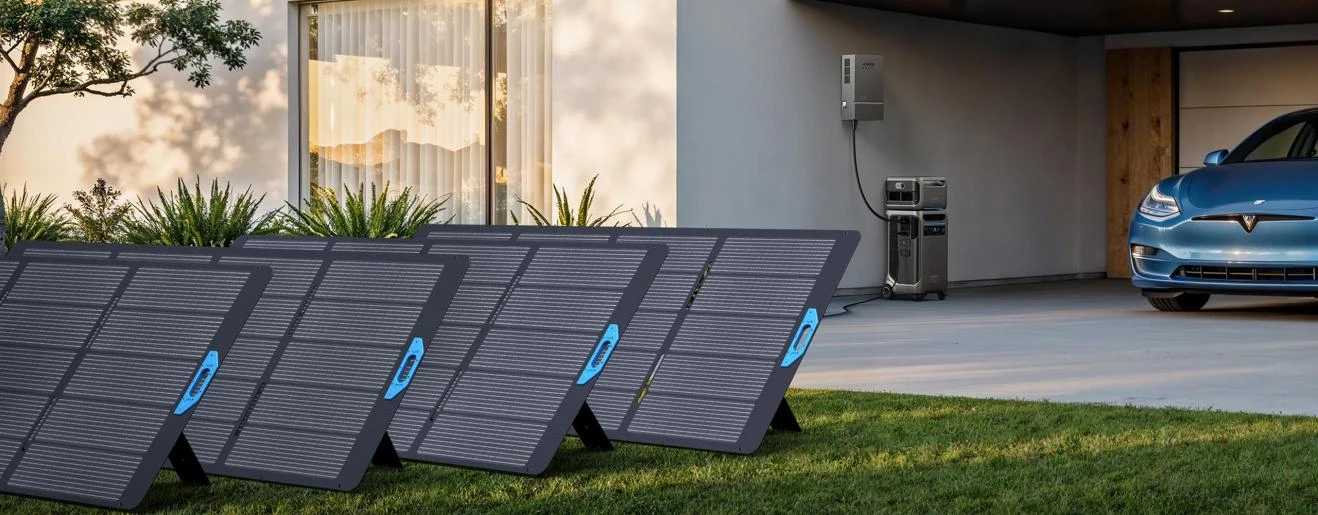
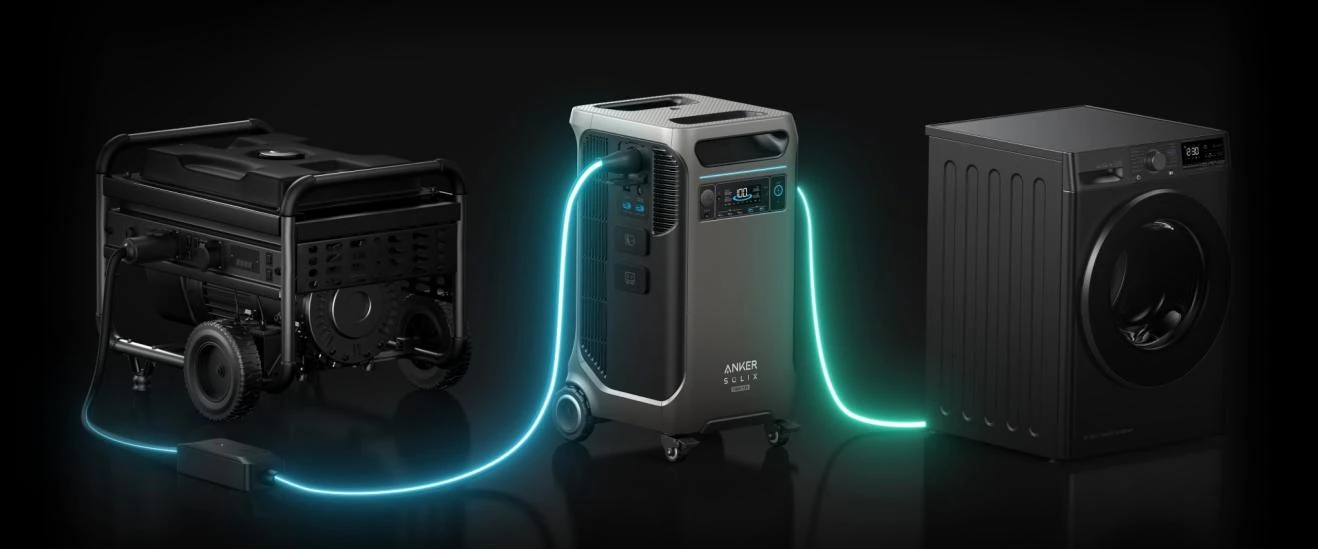
Preparation matters as much as conservation when you need longer runtime. Before camping, road travel, or outage season, map out how and when you can recharge. Wall charging is often the fastest reset between uses, while solar can sustain longer off-grid operation if conditions are good. The Anker SOLIX F3800 Plus Portable Power Station supports up to 3,200W solar input with dual MPPT across an 11-165V range, allowing a full recharge in under 2 hours in optimal sunlight. It is also compatible with 240V AC wall outlets for faster recharging and 240V pure sine gas generators for extended outages, with 6,000W bypass support. Redundant charging options greatly improve uptime.
Store and Maintain the Power Station Properly
Good maintenance helps your power station deliver reliable runtime over the long term. Store it in a cool, dry place away from direct heat, freezing conditions, and excessive humidity, because temperature stress can reduce battery performance. If you will not use it for a while, keep the battery at a moderate state of charge rather than fully empty or permanently topped off. Check the unit periodically, recharge it as recommended, and inspect cables, ports, and ventilation openings for dust or damage. Keep firmware updated when applicable so charging behavior and system monitoring remain accurate. Consistent care protects battery health, supports stable output, and helps preserve expected backup time when you need it.
Conclusion
To extend portable power station runtime, focus on three things: reduce unnecessary consumption, use the station more efficiently, and prepare dependable recharging options. Prioritizing essential devices, limiting AC inverter use, and understanding watt-hour versus watt demand can quickly stretch available power. Better habits, such as avoiding standby losses and maintaining proper storage conditions, also support stronger long-term performance. When you pair smart daily operation with advance planning for wall, solar, or generator charging, your power station becomes far more dependable. Runtime is not only about battery size. It is the result of informed power management before, during, and after each use.


 International Journal of Research (IJR)