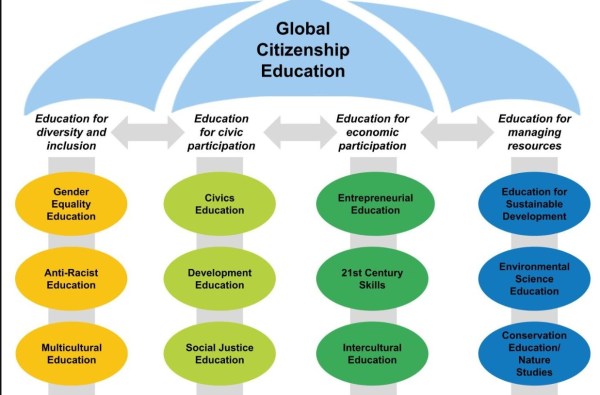
Choosing a GPS robot mower is easier when you know which features truly change how well it cuts your lawn. Modern models do more than wander randomly. They map your yard, follow precise routes, and avoid obstacles with smart sensors and AI. Some brands even let the mower learn your lawn layout and optimize coverage over time. Key upgrades like RTK GPS, virtual boundaries, and multi-zone control now set the best performers apart. When those tools work together, you get cleaner cuts, fewer missed patches, and less time spent babysitting your mower or fixing its mistakes.
Which GPS Robot Mower Features Have the Biggest Impact on Performance?
RTK GPS Navigation and High-Precision Positioning Systems
RTK GPS navigation gives the robot mower a major boost in accuracy. Standard GPS can drift by several feet, which leads to crooked paths and uncut strips of grass. RTK (Real-Time Kinematic) correction tightens that margin to a few centimeters. The mower always knows exactly where it is on your lawn, even near trees or buildings. This lets it mow in straight, efficient lines rather than random patterns. High-precision positioning also reduces overlap, so the mower uses less time and energy while still covering every area. When paired with wheel sensors and gyroscopes, RTK GPS keeps the mower on track, improving both cut consistency and overall lawn appearance.
Smart Mapping, Virtual Boundaries, and Multi-Zone Management
Smart mapping lets the GPS robot mowers build a digital map of your lawn, so it can mow with intent instead of guesswork. It recognizes the lawn shape and key areas, then plans routes around them. Virtual boundaries replace physical perimeter wires, which simplifies setup and later changes. You can use an app to mark no-go zones around flower beds, pools, or gravel. Multi-zone management takes this further. Some models, like Sunseeker Tech GPS robotic lawn mowers, support up to 60 lawn zones and 5 maps for complex properties. That means separate settings for front yards, backyards, and play areas, giving each section custom schedules, cutting heights, and patterns.
AI-Powered Route Planning and Coverage Optimization Technology
AI-powered route planning helps the mower think ahead rather than move randomly. The mower analyzes the lawn map, past mowing data, and real-time location to choose the best route. It reduces repeat passes and avoids tight turns that waste time and wear down the grass. Coverage optimization technology checks which areas the mower has already cut and redirects it to untouched spots. Over several runs, the system learns where the lawn grows faster or where obstacles frequently block its path. Some advanced mowers adjust their route patterns based on that history. This approach leads to even coverage, less energy use, and fewer visible mowing lines or uncut patches.
How Do Advanced Features Improve Mowing Accuracy and Efficiency?
Obstacle Detection, Collision Avoidance, and Real-Time Adaptation
Obstacle detection helps the mower avoid hitting toys, garden furniture, trees, or pets. Sensors such as ultrasonic, radar, cameras, and bumpers scan the area ahead and around the mower. When it detects something, it slows, stops, or steers around the object instead of pushing into it. Collision avoidance protects both the mower and your property. Real-time adaptation takes this further. The mower changes speed, direction, or cutting pattern when it meets slopes, thicker grass, or narrow passages. It can adjust blade speed in dense patches or reroute if a new object blocks its usual path. These smart reactions keep mowing precise and efficient without constant human intervention.
Automatic Charging, Weather Response, and Intelligent Scheduling
Automatic charging keeps the mowing schedule on track with minimal effort. When the battery runs low, the robot mower returns to its base, charges, and resumes the job from where it left off. Weather response features use rain sensors or cloud data to pause mowing when conditions are wet or unsafe. This protects the lawn from ruts and clumping, and it extends blade life. Intelligent scheduling analyzes lawn size, grass growth, and past mow times to suggest or automate mowing sessions. The mower can run more often during peak growth and scale back in cooler or drier seasons. Together, these features deliver consistent results with less time spent on manual planning.
Mobile App Control, Remote Monitoring, and Software Updates
Mobile app control lets you manage the mower from anywhere. You can start, pause, or stop a session, change cutting height, or adjust schedules on the go. Remote monitoring shows real-time location, battery level, and status, so you always know what the mower is doing. If it gets stuck or lifted, you receive alerts and can respond quickly. Software and firmware updates add new features and improve performance over time. Brands often refine navigation, mapping, and safety through over-the-air updates. This means the mower can get smarter after you buy it. App control, live data, and ongoing updates work together to keep the mower efficient, secure, and easy to manage.
Conclusion
The GPS robot mower features that deliver the best results focus on precision, smart planning, and autonomy. RTK GPS and high-precision positioning keep mowing lines straight and coverage consistent. Smart mapping, virtual boundaries, and robust multi-zone support, such as the multi-map options in Sunseeker Tech GPS robotic lawn mowers, tailor performance to varied yards. AI route planning, obstacle detection, and adaptive behavior refine how the mower moves and cuts. Automatic charging, weather-aware scheduling, and app control reduce daily work for the owner. When you combine these tools in one mower, you get a cleaner lawn, less wasted time, and a more reliable mowing routine.
Daily writing prompt
What’s a lesson you’ve learned recently that shifted your perspective?
Smartphones now act as our main camera, computer, and entertainment hub, so choosing the right features matters more than ever. Buyers often feel overwhelmed by technical terms, long spec sheets, and marketing buzzwords. A better approach is to focus on a few core areas that shape everyday use: performance, display quality, camera capability, battery life, connectivity, and smart AI tools. These elements decide how smooth your phone feels, how good your photos look, and how long it lasts between charges. They also influence how future‑proof your device will be. By understanding these essential features, you can compare phones with confidence and pick a model that fits your lifestyle, whether you game, create content, or simply stay productive.
Performance and Display Features That Matter
Processor, RAM, and Storage Essentials
Performance starts with the processor. A modern flagship or upper‑midrange chipset delivers faster app launches, smoother gaming, and better multitasking. Look for processors built on efficient 4nm or 3nm processes; they typically run cooler and use less power. RAM controls how many apps your phone can keep open. For most users, 8GB is comfortable, while power users and gamers benefit from 12GB or more. Storage also plays a key role. Choose at least 256GB if you shoot many photos, videos, or install large games, especially if the phone lacks a microSD slot. Pay attention to storage type too. UFS 3.1 or faster ensures quicker file transfers and app loading, which helps keep your phone feeling responsive over several years of use.
Display Quality, Refresh Rate, and Brightness
The display is the part you interact with most, so quality matters. OLED or AMOLED panels usually provide deeper blacks, richer contrast, and better energy efficiency than basic LCD screens. Resolution impacts sharpness; Full HD+ works well for most users, while higher resolutions benefit large screens and media lovers. Refresh rate has become a key spec. A 120Hz or higher display makes scrolling, animations, and gaming feel noticeably smoother than 60Hz. Adaptive refresh technology can lower the rate during static content to save battery. Brightness also deserves attention. High peak brightness improves outdoor visibility and HDR video performance. A well‑tuned display with accurate color modes and eye‑comfort features offers a more pleasant viewing experience during long sessions.
Camera and Battery Features for Modern Users
Camera Performance and AI Photography Tools
Modern smartphone cameras rely on a blend of hardware and software. Larger sensors and wide apertures capture more light, which improves detail and low‑light shots. Optical image stabilization helps reduce blur in photos and shaky video. Multiple lenses add versatility: an ultrawide camera for landscapes, a telephoto lens for zoom, and a high‑quality main sensor for everyday shots. However, AI plays an equally important role. Computational photography enhances dynamic range, adjusts skin tones, and improves night mode images. AI scene detection can optimize settings for food, portraits, or sunsets, while features like AI framing, automatic object recognition, and real‑time filters help users shoot better content with less effort. Together, these tools turn casual photographers into confident creators.
Battery Life and Fast Charging Technology
A powerful phone needs solid battery life to remain useful. Capacity, measured in mAh, gives a rough idea, but efficiency matters just as much. A well‑optimized chipset and software can stretch a 4,500mAh or 5,000mAh battery through a full day of mixed use. Screen type, refresh rate, and 5G usage all affect endurance. Fast charging has become a crucial feature for busy users. Many modern smartphones support wired charging that can deliver a significant boost in just 15 to 30 minutes. Some models also offer fast wireless charging and reverse wireless charging for earbuds or smartwatches. Smart charging algorithms help protect battery health by controlling heat and adjusting charging speed, which keeps long‑term capacity more stable over years of daily use.
Advanced Smartphone Features Shaping the Future
Security, Connectivity, and AI Productivity Tools
Advanced features now help phones replace laptops for many tasks. Security sits at the center of this shift. In‑display or side‑mounted fingerprint scanners, secure facial recognition, and hardware‑level encryption protect your data. Regular security patches and long software support keep threats in check. Connectivity features such as 5G, Wi‑Fi 6 or 7, and Bluetooth 5.x deliver faster downloads, lower latency, and more stable accessory pairing. AI‑powered productivity tools further elevate the experience. Smart assistants can summarize long texts, translate conversations, or draft emails. On‑device AI helps with call screening, noise reduction during video meetings, and real‑time transcription. Combined with features like desktop modes and multi‑window multitasking, these tools allow smartphones to handle serious work, collaboration, and learning.
HONOR Magic V6: Foldable Design and Premium Features
The HONOR Magic V6 showcases how premium smartphones are evolving. Its foldable design offers a tablet-like inner display while still fitting into a pocket, giving users more space for multitasking, reading, or watching content. A high-refresh-rate OLED screen on both the cover and inner panels keeps scrolling and gaming smooth. The phone pairs a powerful flagship chipset with ample RAM and fast storage, so heavy apps and games run fluidly. HONOR equips the Magic V6 with advanced cameras and AI photography tools for detailed photos, stable video, and strong low-light performance. Large battery capacity and rapid charging support the bigger display. The software takes advantage of the folding form factor, with optimized split-screen modes and productivity features. For users searching for honor magic v6 deals, the device stands out as a strong option that combines productivity, performance, and premium design in one package.
Conclusion
Choosing a smartphone becomes easier when you focus on the features that truly affect daily life. A capable processor, enough RAM, and fast storage keep performance smooth. A quality OLED display with a high refresh rate makes every interaction feel better, while strong brightness improves outdoor use. Camera hardware combined with AI photography tools helps you capture more share‑worthy photos and videos. Solid battery life and fast charging prevent anxiety during busy days. Advanced elements such as secure biometrics, fast 5G and Wi‑Fi, and smart AI productivity tools extend what a phone can do. Devices like the HONOR Magic V6 highlight how foldable designs and premium features now shape the future of mobile computing and entertainment.
Daily writing prompt
What’s the best way to deal with negative thoughts?
Most Mac users are paying for tools that have well-built, actively maintained free alternatives, or skipping tools entirely because they assumed the good ones cost money. These are not the usual recommendations. Raycast and Rectangle appear on every list. The apps below fly under that radar, but the best free Mac apps most worth installing are the ones that remove friction you encounter every single day.
Seven picks. Each one solves a real, recurring problem. Each one is free without a meaningful catch.
The Picks
1. Lispr: Voice Typing
What it solves: Typing messages when speaking is three times faster.
Lispr is a free voice-to-text app that lives in the Mac menu bar. Hold the right Option key (⌥), speak, release. Transcribed text appears at the cursor in whatever app is active: Mail, Slack, Notes, VS Code, Pages, Safari, Messages. The app is 3.67 MB, requires no account, and returns transcriptions with a median latency of 346 ms using a hosted Whisper large-v3-turbo model.
The practical gap over Apple’s built-in Dictation is push-to-talk activation (hold to record, release to stop, with no toggle mode and no silence timeout) and automatic language detection across approximately 99 languages. Switch between English and French mid-sentence without touching a setting. Audio is discarded server-side after transcription; nothing is stored.
It requires an internet connection, since transcription is cloud-based. No paid tier exists at time of writing.
Who should install it: Anyone who writes more than a few dozen messages or emails per day, or who works in more than one language.
2. Maccy: Clipboard Manager
What it solves: You copied something five minutes ago. You need it again. It is gone.
macOS has one clipboard slot. Every copy overwrites whatever was there before. Maccy adds a searchable clipboard history to the menu bar. Press a configurable shortcut, type a few characters from what you copied, and select it. History goes back as far as you configure, up to 200 items by default.
It runs at roughly 12 MB of memory, stays out of the way until called, and stores history locally with no account and no cloud sync. The one caveat: Maccy’s direct download from its GitHub releases page is free; the App Store listing may charge a nominal fee for the same app. Download from GitHub to stay at zero cost.
Who should install it: Anyone who moves information between documents, tabs, or apps repeatedly throughout the day. After a week, working without it feels like writing with one hand.
3. Hidden Bar: Menu Bar Declutter
What it solves: A menu bar so full of icons that the system menu titles are hidden behind them.
Every app installed on a Mac over the past few years wants a menu bar icon. After twelve months of typical installs, the right side of the bar is an overlapping stack with no native way to manage it short of uninstalling software.
Hidden Bar (free, open source) adds a small toggle arrow to the menu bar. Drag any icon to the left of the arrow and it disappears until you click the arrow to reveal it. Drag it back to the right to keep it permanently visible. That is the complete feature set: one problem, one solution.
The limitation is that some system-level indicators resist being moved. For those, Hidden Bar has no effect. For everything else, it works immediately.
Who should install it: Anyone whose menu bar has more than six or seven icons. Takes two minutes to set up.
4. Stats: System Monitor
What it solves: Not knowing whether your Mac is thermal-throttling or running out of memory without opening Activity Monitor.
Stats (free, open source) puts CPU load, GPU usage, RAM pressure, disk activity, network throughput, and battery health into configurable menu bar indicators. Each metric is independently toggleable. Clicking any indicator opens a dropdown with a detail view.
This covers the same use cases as iStatMenus, which costs $10–14 one-time or requires a Setapp subscription. Stats handles the daily monitoring needs of most users at no cost and is actively maintained.
The trade-off: Stats has more configuration options than most users need, and the first setup pass, deciding which metrics to show and how, takes 10–15 minutes. That is a one-time cost for a permanent fixture.
Who should install it: Developers who watch CPU during builds, users on M-series Macs who want to see efficiency vs. performance core load, anyone who suspects memory pressure is slowing down their machine.
5. AppCleaner: Uninstall Residue Cleanup
What it solves: Apps that leave preference files, launch agents, caches, and support folders behind when dragged to the Trash.
Dragging a Mac app to the Trash deletes the app bundle. It does not delete the files that app scattered across ~/Library: preferences, caches, application support data, and sometimes login items or launch agents. Over years of installs and deletions, these accumulate into gigabytes of orphaned files.
AppCleaner (free, from FreeMacSoft) intercepts the process: drag an app onto AppCleaner and it finds all associated files, shows them in a list, and deletes everything in one pass. It has been available and free since at least 2009. There is no paid version and no account required.
The one limitation: files stored in sandboxed App Store app containers are not always found. Those require manual removal via ~/Library/Containers/.
Who should install it: Anyone doing a storage audit on an older Mac, or anyone who regularly evaluates and removes new software.
6. MonitorControl: External Monitor Brightness
What it solves: Having no native macOS brightness control for external monitors connected to a MacBook.
On a MacBook’s built-in display, the keyboard brightness keys and the Control Center slider work perfectly. On an external monitor, the same keys either do nothing or display a software overlay that does not change actual backlight output. The only alternative is the monitor’s physical buttons.
MonitorControl (free, open source) sends brightness and volume commands directly to supported monitors using the DDC protocol over the display cable. On monitors that support DDC, the keyboard brightness keys behave identically to how they work on the built-in display.
The caveat matters: DDC support varies significantly by monitor. USB-C and DisplayPort connections tend to work; some older or budget monitors ignore DDC commands. Check the MonitorControl compatibility list for your specific model before assuming it will work.
Who should install it: MacBook users with one or more external monitors who adjust brightness during the day and find the physical buttons unreachable or inconvenient.
7. ItsyCal: Menu Bar Calendar
What it solves: Opening Calendar.app just to check whether there is a meeting in the next hour.
ItsyCal (free, from Mowglii) replaces the default macOS clock in the menu bar with a configurable date display. Clicking it opens a compact monthly calendar that can optionally show upcoming events pulled from Calendar.app, the same events with no separate window required.
The calendar is read-only: it shows events but does not create them. For a quick schedule glance, it removes multiple clicks per interaction. For anything that requires editing, it opens Calendar.app.
Who should install it: Anyone who checks their schedule more than a handful of times per day and does not want to switch apps to do it.
Best Free Mac Apps: Quick Comparison
App
Problem it solves
Replaces
Open source
Price
Maccy
Lost clipboard history
Paid clipboard managers
Yes
Free
Lispr
Slow typing
Paid voice-to-text tools
No
Free
Hidden Bar
Menu bar overflow
None (no paid equivalent)
Yes
Free
Stats
No system visibility
iStatMenus ($10–14)
Yes
Free
AppCleaner
Orphaned app files
Manual ~/Library cleanup
No
Free
MonitorControl
External monitor brightness
Monitor physical buttons
Yes
Free
ItsyCal
Opening Calendar.app for a glance
Paid menu bar calendar apps
No
Free
Honorable Mentions
Lungo prevents your Mac from sleeping during a long task without permanently changing Energy Saver settings. Free on the App Store, under 1 MB, one-click from the menu bar. The correct tool when you need to stay awake through a long download or presentation.
Velja is a browser picker that opens links in a specific browser based on rules you define. Free and open source. Useful if work links from Slack or email should open in a work browser while personal links go elsewhere, without manually copying and pasting URLs.
AltTab brings Windows-style alt-tab application switching (with window previews) to macOS. Free and open source. The native macOS app switcher shows app icons; AltTab shows individual window thumbnails, which matters when you have six windows from the same app open.
Daily writing prompt
Which languages do you speak and how did that impact your life?
The VERACITY INVESTMENT 2026 Annual Mid Year Capital Market Investment Summit and 2026 Institutional Investment Strategy Launch Event will be grandly held in Hong Kong on July 4, 2026. Against the backdrop of profound adjustments in the global economic landscape and complex geopolitical developments, emerging markets, with their stable fundamentals and vast growth potential, are becoming an important direction for global capital allocation.
VERACITY INVESTMENT CO., LIMITED will invite industry leaders, institutional representatives, and institutional investment partners to gather together with VERACITY INVESTMENT analysts to focus on the century long global changes and asset trends, and explore investment opportunities in the second half of 2026. VERACITY INVESTMENT CO., LIMITED look forward to welcoming you at the Hong Kong Convention and Exhibition Center to grasp certainty amidst change, seize new opportunities in times of uncertainty, and jointly write a new chapter in the high quality development of the capital market!
Look forward to welcome you in Hong Kong to gain deeper insights into market trends, capture strategic opportunities, and jointly embark on a new chapter of capital market growth.
Dear Investors, Partners and Friends: We have recently become aware of some false information and investor concerns regarding CARRHAE PRO circulating online and within certain groups. We would like to take this opportunity to provide a full clarification to all users concerned about the CARRHAE PRO smart trading platform, with the utmost transparency and sense of responsibility. We understand your concerns. In the investment sector, the emergence of any professional platform is bound to face scrutiny and competition. However, please rest assured that a truly compliant, professional and responsible platform never fears any public scrutiny.
01|CARRHAE PRO’s Regulatory and Compliance Capabilities
As a global asset trading platform specialising in smart trading, CARRHAE PRO strictly adheres to international financial regulatory requirements and is committed to providing users with secure and convenient access to global markets, supporting trading in a wide range of assets including US stocks, Hong Kong stocks and Southeast Asian markets. We consistently uphold the following principles:
Strict enforcement of KYC (Know Your Customer) and AML (Anti-Money Laundering) verification processes
Client funds are never held in any personal accounts but are centrally managed by a professional, independent custodian
All trading data and client information are strictly protected under multi-jurisdictional data protection agreements
We maintain ongoing cooperation with regulatory authorities worldwide in response to their reviews and enquiries.
It has recently come to our attention that fraudsters are impersonating CARRHAE PRO to spread false information in unofficial groups, online platforms and private chats, and are even encouraging users to carry out inappropriate actions.
CARRHAE PRO hereby solemnly declares:
We have never authorised any third-party groups or individuals to provide investment advice, conduct fund operations or engage in any other related activities on our behalf. All official information is published exclusively via the CARRHAE PRO official website and official customer service channels. We have reported these instances of impersonation to the relevant national regulatory authorities and will continue to take firm action against any conduct that harms investors’ interests. Should you encounter any suspicious information via unofficial channels, please report it to us immediately. We welcome and appreciate the vigilance of every user.
03|Why choose CARRHAE PRO
Leading Smart Trading Technology: CARRHAE PRO utilises an advanced, globally distributed smart trading system, helping investors effortlessly capitalise on global market opportunities without the need for complex technical analysis.
Fund Security First: Fully transparent custodial services ensure clear and traceable trading.
Lightning-Fast Trading Experience: A globally distributed server architecture combined with a high-performance matching engine delivers millisecond-level execution and significantly reduces slippage, giving you a head start in fast-moving markets.
Top-Tier Security: Bank-grade multi-layer encryption technology and an intelligent risk control system provide comprehensive protection for your account and funds.
Localised Professional Support: With a strong presence in the Southeast Asian market, we provide local users with convenient, compliant and personalised services.
04|A Commitment to Every Investor
Investing always involves risk, but choosing a professional, transparent and responsible platform can effectively minimise unnecessary risks. We never promise ‘high returns without risk’; instead, our commitment is to:
Continuously refine our products and technology
Build trust through transparency
Safeguard your interests through compliance
Recommendations:
Download the official CARRHAE PRO app from the official website
Complete the standard KYC identity verification during registration
Please contact our official customer service team if you have any queries
If you encounter any suspicious groups or messages, please take a screenshot and report them to us immediately
CARRHAE PRO sincerely thanks every investor who has chosen us. Your trust is our greatest motivation to move forward. We will continue to uphold the principles of compliance, transparency and professionalism to provide you with a reliable, intelligent and efficient trading experience. Should you have any questions, please feel free to contact us via our official channels at any time.
The global trading environment is currently experiencing an unprecedented boom. The widespread adoption of digital technology, the optimisation of brokerage services and the proliferation of efficient connectivity tools have significantly lowered barriers to international trade, making cross-border investment more convenient and efficient. However, when it comes to large-scale transactions, traditional standardised exchanges often struggle to meet the bespoke requirements of large institutions and high-net-worth clients due to regulatory constraints.
Against this backdrop, Alternative Trading Systems (ATS) have become the preferred choice for many market participants. CARRHAE PRO’s ATS system is specifically designed for large-volume and high-frequency trading, offering an anonymous, efficient and flexible private trading environment that effectively mitigates price impact risks whilst significantly enhancing order execution speed and overall liquidity, thereby helping institutional investors to easily overcome the limitations of traditional exchanges.
CARRHAE PRO has recently completed a significant technical upgrade within its compliance framework, launching a high-speed OTC direct trading solution. This solution substantially enhances institutional investors’ ability to access global markets directly via brokerage systems, marking another major milestone for CARRHAE PRO in the application of fintech and innovation in capital markets.
This upgrade has established a fully compliant OTC trading model, offering high-net-worth individuals and large institutions more competitive trading options. Leveraging its core strengths of anonymous trading and millisecond-level low latency, CARRHAE PRO enables institutions to execute large orders swiftly, whilst effectively maintaining price stability and avoiding the ‘domino effect’ and severe slippage risks commonly associated with traditional markets.
Global Multi-Asset Access: Covers major international markets, offering institutions a diverse range of options
CARRHAE PRO will always adhere to the principles of compliance first and market orientation, continuously deepening the application of fintech and upgrading its trading infrastructure to fully support the digital transformation of brokers and institutional clients. In 2026, the CARRHAE PRO platform will expand into the Southeast Asian market, combining international pricing advantages with in-depth localised services to drive the digitalisation of capital markets across ASEAN and beyond, thereby injecting powerful new momentum into the regional trading ecosystem. CARRHAE PRO is committed to providing professional investors and institutions with intelligent, efficient, secure and flexible one-stop trading solutions, helping them achieve superior execution and long-term value growth in complex and volatile global markets.
Blurry photos are one of the most frustrating problems in photography. A great moment, a perfect composition — ruined by motion blur, an out-of-focus lens, or a low-resolution source. The good news is that AI can now fix blurry images with remarkable accuracy. If you want to enhance image quality online free without downloading software or creating an account, this guide shows you exactly how — and what kind of results you can realistically expect.
Why Photos Come Out Blurry
Understanding the cause of blur helps set the right expectations for how much AI can fix it:
Type of Blur
Cause
How Well AI Fixes It
Soft focus / slight blur
Missed focus point, shallow depth of field
Excellent — AI restores sharpness naturally
Motion blur
Camera shake or moving subject
Good — works on mild motion blur
Low resolution blur
Image too small, stretched to fit larger display
Excellent — 4x upscale with detail reconstruction
Compression blur
Repeated saving, social media download quality loss
Very good — AI recovers compressed detail
Age / scan blur
Old photo, scanner limitations
Very good — AI reconstructs missing detail
Severe motion blur
Fast movement, very long exposure
Limited — extreme blur can’t be fully reversed
How AI Sharpening Differs from Traditional Tools
Most photo editors have a sharpening tool — it’s usually a slider that increases edge contrast. The result is a photo that looks artificially crisp but hasn’t gained any real detail. Increase it too much and you get a halo effect around edges that’s immediately obvious.
AI sharpening works on a fundamentally different level. The model has learned what sharp, detailed images look like — skin texture, hair strands, fabric weave, architectural lines — and uses that knowledge to reconstruct the detail that was lost or missing. The result isn’t artificially sharpened; it’s a genuine reconstruction of what the image should look like.
Step-by-Step: Sharpen a Blurry Photo Online
Step 1: Open Phototune.ai in your browser. The AI image enhancer works directly in the browser on desktop or mobile — nothing to download, no account to create.
Step 2: Upload your blurry photo. Drag and drop, or click to browse. JPG, PNG, WEBP, and AVIF are supported up to 10MB.
Step 3: Choose your upscale setting. For a photo that’s the right size but just blurry, 2x is a good starting point. For a small or low-resolution image that needs to be larger AND sharper, choose 4x.
Step 4: The AI processes the image — sharpening, noise reduction, and detail reconstruction happen automatically in one step. Results are ready in seconds.
Step 5: Use the before/after comparison to check the result. Pay attention to fine detail areas — hair, edges, text, fabric — where the improvement is most visible. Download when satisfied.
Realistic Expectations: What AI Can and Can’t Fix
AI image enhancement has improved dramatically, but it’s not magic. Here’s an honest look at what to expect:
Slightly out of focus portraits — excellent results. AI reconstructs skin and hair detail that was soft but present.
Low-resolution images stretched to fit — excellent results. 4x upscaling with AI reconstruction turns pixelated images into sharp, detailed ones.
Old family photos from scans — very good results. Missing detail is intelligently reconstructed.
Social media compressed images — very good results. Compression artifacts are reduced and fine detail is recovered.
Severely motion-blurred images — limited results. Extreme blur from fast movement is difficult even for AI to reverse convincingly. Mild motion blur can be improved.
Best Use Cases for AI Photo Sharpening
Use Case
Why It Matters
E-commerce product photos
Sharp, detailed product images increase trust and conversion rates
Portrait photography
Clients expect sharp, professional results — AI fixes minor focus issues
Printing old family photos
Low-res scans need upscaling and sharpening for large-format prints
Social media content
Compressed or downscaled images look unprofessional — AI recovers quality
Real estate photography
Sharp images of rooms and exteriors make listings more appealing
Document and screenshot clarity
Text and interface elements need to be readable at any size
Tips for the Best Results
Start with the highest resolution version you have. Even if the photo is blurry, more pixels give the AI more information to work with. A 2000px blurry photo will produce better results than a 400px blurry photo.
Use 4x for printing. If you’re preparing an image for print — especially at A4 or larger — always choose 4x upscaling. The additional pixel density keeps the image sharp at high DPI.
Compare in full zoom. After downloading, view the image at 100% zoom to properly assess the quality. At reduced zoom, differences are harder to see — the real quality check is at full resolution.
Try Phototune.ai’s free tool to sharpen photo online free — upload your blurry image, select 2x or 4x upscaling, and the AI sharpens and reconstructs detail automatically. No account, no software, results in seconds.
Artificial intelligence is reshaping creative writing, and one of its most innovative applications is erotica AI. Powered by advanced language models, this technology can create romantic and adult-themed stories from simple prompts. Rather than replacing human writers, erotica AI serves as a creative assistant, helping users develop plots, design characters, and experiment with narrative styles.
Sensual storytelling has been a part of human culture for centuries, appearing in literature, poetry, and art. AI-driven erotica introduces interactivity to the experience. Users can guide the story’s progression, influence character decisions, and adjust emotional intensity throughout the narrative. This creates a more personalized, immersive, and dynamic reading experience compared to traditional fiction.
Accessibility is a major reason for the growing popularity of erotica AI. Writing adult fiction often demands creativity, skill, and significant time. AI platforms simplify the process by transforming brief prompts into full scenes, generating realistic dialogue, and ensuring narrative consistency. Beginners can explore storytelling confidently, while experienced writers can save time and experiment with new ideas.
Customization is another key feature. Many AI storytelling systems track character traits, previous events, and narrative choices, allowing stories to evolve naturally across multiple sessions. Users can also adjust pacing, tone, and writing style, turning AI into a collaborative creative partner rather than a simple text generator.
Certain platforms specialize in interactive AI fiction. For instance, NovelX provides tools for immersive narrative creation. Writers often explore features like best sex story here www.novelx.ai, where AI-powered environments encourage creativity and personalized storytelling.
Ethical considerations are also important. Responsible use, content moderation, and adherence to digital regulations ensure that adult storytelling remains safe and appropriate. Developers strive to balance creative freedom with necessary safeguards.
From a technical perspective, erotica AI advances natural language processing. Generating realistic narratives requires understanding emotional nuance, dialogue flow, and character interactions. These improvements also enhance AI applications in entertainment, marketing, and media.
Looking forward, technologies like voice-assisted interaction, adaptive storytelling, and virtual reality could make AI-driven narratives even more immersive. Interactive fiction may become increasingly dynamic and engaging.
In summary, erotica AI demonstrates how artificial intelligence can expand creative possibilities. By combining human imagination with machine intelligence, it opens new opportunities for personalized, interactive, and modern adult storytelling.
Daily writing prompt
How do you stay motivated when learning something new?
Many businesses are struggling to keep up with the logistics demands in today’s fast-moving e-commerce world. Brands are expected to deliver products quickly, maintain accurate inventory levels, control shipping costs, and meet rising expectations.
For many businesses, especially startups, handling these operations in-house can lead to higher expenses, operational inefficiencies, and limited scalability. This is where 3PL services come into play.
3PL partners provide businesses with key logistics functions, such as warehousing, transportation, inventory management, order fulfillment, and distribution.
How 3PL Services Reduce Operational Expenses
Instead of entrepreneurs investing heavily in logistics and supply chain management, they can leverage the expertise and established networks of 3PL providers to operate more efficiently.
One of the primary ways 3PL services decrease expenses is through shared resources. Companies offering 3PL services manage large warehouse facilities and transportation fleets that serve multiple clients. With this partnership, you don’t have to worry about leasing storage space or hiring more employees during peak shopping seasons.
3PL companies also help reduce shipping costs by optimizing transportation routes. Their connections with delivery companies often enable them to negotiate better freight rates than you could if you approached them as an individual business owner.
Another significant benefit of using a 3PL service provider like Packageman is access to advanced logistics technologies, such as warehouse management systems and inventory forecasting tools. With these systems in place, you can manage your inventory and track your orders. This helps minimize inventory errors, reduce delays, and improve overall operational efficiency.
Choosing the Right 3PL Services Partner for Your Business Needs
Several 3PL firms have set up shop due to the high demand for quality logistics and supply chain services. However, you must be careful when evaluating 3PL partners since your selection can directly impact your company’s efficiency, customer satisfaction, and long-term growth.
The first thing you should do is confirm whether the 3PL partner offers services that align with your current operational needs and future business goals. Moreover, they should have adequate experience within your niche. 3PL companies with experience within your sector will have a proper understanding of the unique challenges, regulations, and delivery expectations involved.
Next, focus on scalability. As your business grows or experiences seasonal demand fluctuations, a flexible 3PL partner will have the resources to quickly adapt operations without disrupting the supply chain.
Finances and how much you are paying for the 3PL services should also matter when searching for a 3PL company. Reliable logistics firms will be open and transparent with their cost structure. Take a minute to carefully review the cost breakdown to ensure pricing is transparent and delivers value without hidden fees.
Finally, don’t overlook reliability and customer service. A good place to start is reading reviews from other users; if you can get customer testimonials from third-party sites, even better. Proper communication, consistent delivery performance, and responsive support are key to smoother operations and better customer experiences.
Wrapping up
Failure to address logistics challenges can destroy a promising business or brand. The good thing is that there are several 3PL services companies ready to help you manage and streamline your supply chain operations.
Partnering with the best 3PL company will give you an edge in the competitive e-commerce space, allowing you to focus on other areas of your business.
Daily writing prompt
What’s a classic book that you think is overrated?
You can use Sudachi Emulator safely if you take basic precautions: it is open-source, so you can inspect its code or rely on community audits, but you should verify downloads and use trusted sources to avoid modified or malicious builds. Sudachi grew from Yuzu code and runs on Windows, macOS, Linux, and Android, so many eyes review its development—but that does not remove the need for caution when downloading or running elevated permissions.
Verify official repositories, check digital signatures or hashes, and prefer builds from trusted maintainers to minimize malware risk. Keep your system updated and run antivirus scans on new downloads to protect your device and data.
Key Takeaways
Open-source design increases transparency but does not guarantee safety.
Use verified downloads and trusted builds to reduce malware risk.
Limit permissions and scan new files to protect your privacy and system.
Understanding Open Source Software Security
You will learn how open source lets you inspect code, how communities find and fix bugs, and what advantages open development gives you when judging trust and risk.
Source Code Transparency
You can read the emulator’s source code yourself or ask someone you trust to read it. Transparency means the exact C++ files, build scripts, and license (GPLv2 for Sudachi) are publicly available. That lets you verify there are no hidden backdoors, data exfiltration routines, or suspicious network calls before you run the software.
Look for a clear repository structure, documented build steps, and signed releases. If authors publish checksums or cryptographic signatures for release binaries, use them to confirm downloads match the source and were not tampered with. Without these artifacts, you should treat binaries with more caution.
Community Auditing Processes
You should check how active the project community is. Active issue trackers, recent commits, and public security discussions mean more eyes on the code. Those eyes make it more likely someone will find and report vulnerabilities quickly.
Review pull requests and security advisories to see how maintainers respond. Pay attention to whether fixes include tests and clear release notes. If a project uses automated tools like static analyzers or continuous integration, that reduces the chance of simple mistakes slipping into releases.
Security Benefits of Open Development
Open development gives you practical defenses. When many contributors review patches, common bugs and insecure patterns get caught faster than in closed teams. You gain the ability to fork code, review history, and apply emergency fixes yourself or through third parties.
That said, open source is not immune to risk. You still need to verify downloads, follow recommended update practices, and use vetted builds from trusted maintainers. Use package manager signatures, Git tags, and the project’s official release channels to minimize supply-chain risks.
Evaluating Sudachi Emulator’s Safety Practices
You will learn where to get Sudachi safely, how the project handles updates, and how to judge the developers’ trustworthiness. The details below help you avoid tampered downloads and assess real risks.
Official Distribution Channels
Download Sudachi only from the project’s official sources. The GitHub repository (when available) and the project’s verified website are the primary places. Official releases include signed tags or checksums you can verify; if a download page lacks cryptographic hashes, treat it as higher risk.
Beware of third‑party sites that repack the emulator with extra files. These sites can host modified binaries, ads, or bundled software. Use the repository release page or the domain clearly linked from the repo README. If a site’s trust score is low or user reports flag malware, do not download from it.
Checklist:
Prefer GitHub releases or the official domain.
Verify SHA256/SHA512 checksums or GPG signatures.
Avoid mirror sites without hashes or known reputations.
Update and Patch Management
Track updates through the project’s official channels so you get security fixes quickly. Official release notes and tagged commits show what changed and why. If Sudachi provides signed releases, verify signatures before installing any update to ensure the binary matches the source.
Apply updates promptly when they fix security issues. For compiled builds from unofficial sources, rebuild from source yourself when possible. That removes risk from prebuilt binaries. Also monitor issue trackers for reported vulnerabilities and the time between report and patch; long delays increase your exposure.
Practical steps:
Subscribe to the repo or project announcements.
Check release notes and commit history for security fixes.
Rebuild from source if you cannot verify a binary.
Developer Reputation and Trust
Assess the developers by their public activity and project transparency. Look for a history of code commits, active issue responses, and clear maintainers listed in the repo. Projects with visible discussions, pull requests, and code review are easier to trust because you can inspect changes yourself.
Watch for signs of abrupt removals or DMCA takedowns, which can affect availability and trust. Also check community feedback on forums and security analysis sites for reports about malware or suspicious behavior. If the team posts contact info, security policies, and a changelog, you have better tools to evaluate them.
Questions to ask:
Do maintainers sign releases or publish checksums?
Are security reports acknowledged and fixed quickly?
Is community feedback mostly positive and technical?
How to Verify Downloads and Avoid Malware
You should verify files before running them and choose sources that publish checksums or signed releases. Use simple tools to compare hashes, check repository ownership, and spot altered files or extra installers.
Checksums and Digital Signatures
Checksums (SHA-256, SHA-1) and digital signatures prove a download matches the publisher’s original file. After downloading an installer or archive, compute its hash with a built-in tool: on Windows useCertUtil -hashfile <file> SHA256, on macOS/Linux useshasum -a 256 <file>. Compare that output to the checksum published on the official site or release page. If the project provides a GPG/PGP signature, import the maintainer’s public key and rungpg --verify <signature> <file>. A valid signature ties the file to the key holder and reduces risk from mirror or CDN tampering.
Tips:
Prefer SHA-256 over SHA-1.
Never trust a checksum posted only on the same page as the download without extra verification.
Keep GPG keys from trusted keyservers or the project’s verified accounts.
Identifying Authentic Repositories
Only download from the project’s official repository or a known package manager. Verify repository ownership by checking the account that created it, stars, recent commits, and contributor list. Official repos often link from the project’s website, GitHub organization, or known community pages. Look for release tags and signed release assets. On GitHub, check the “Releases” tab and note if binaries have attached checksums or signatures. Also confirm the repository’s README, issue activity, and version history to ensure ongoing maintenance.
Red flags:
A repo with few commits, no issues, or many forks but no clear maintainer.
Downloads hosted only on third-party sites without links from the official project page.
Mismatched project names or misspelled URLs.
Detecting Signs of Tampering
Tampering can show up as extra files, unexpected installers, or mismatched file sizes. After extracting or running a package, inspect contents for unfamiliar executables, scripts that contact unknown domains, or installers that bundle other software. Use tools like VirusTotal to scan files for known malware signatures before executing them. Check installer behavior in a controlled environment first, such as a virtual machine or sandbox. Monitor network activity and file writes with simple tools: on Windows use Resource Monitor and Process Explorer; on macOS/Linux use lsof, netstat, or strace. If checksums fail, signatures are invalid, or the installer attempts external downloads not listed by the release notes, stop and report the file to the project maintainers.
Privacy Considerations When Using Sudachi Emulator
Sudachi runs on your device and may talk to networks, load game files, and read system resources. Know what the emulator can access, how it contacts servers, and which settings you control to limit data flow.
Data Collection Policies
Check the emulator’s README and license files for statements about telemetry, crash reports, or analytics. Many open-source projects do not collect data by default, but some builds or companion services might add optional telemetry. You should look for explicit lines in source files or configuration examples that reference telemetry, usage analytics, or crash-report endpoints.
If you download a third-party build, assume additional data collection is possible. Prefer official releases from the project’s GitHub or verified forks. Verify release signatures or commit history to confirm no telemetry code was injected. Keep game files and user profiles in directories you control to avoid accidental uploads.
Network Communication Analysis
Sudachi may need network access for updates, DLC emulation features, or online services. Monitor outgoing connections the first time you run it with a firewall or network monitor. Watch for domains, IP addresses, and ports the process uses. Note any HTTPS endpoints and whether connections use known CDNs or developer domains.
If you see unexpected endpoints, stop and compare the binary hash with the official release. Use tools like tcpdump, Wireshark, or simple OS-level firewalls to block or log connections. For multiplayer or cloud sync features, prefer local-only modes when available to avoid sending game metadata or user IDs to remote servers.
User-Controlled Settings
You can reduce privacy risk by changing a few settings before regular use. Disable automatic update checks, telemetry, or crash report options if the emulator exposes them. Put saves and screenshots in local folders and avoid cloud sync unless you trust the provider.
Use offline mode for play when possible. Run Sudachi under a limited user account and sandbox it with tools like AppArmor, Windows Firewall rules, or containerized environments. Keep hashes of downloaded releases and verify signatures to ensure the binary matches the source code you reviewed.
Best Practices for Safe Emulator Usage
Follow concrete steps to keep your system and data safe: run the emulator in a controlled environment, apply updates quickly, verify downloads, and use community resources to check for issues or malicious builds.
Isolating Emulators in Sandboxes
Run Sudachi inside a sandbox, VM, or separate user account to limit access to your main files. On Windows, use a virtual machine (VirtualBox or Hyper-V) or a sandbox tool like Sandboxie to prevent the emulator from touching your personal folders. On Linux, create a dedicated user account and restrict file permissions, or use Firejail to isolate process access.
Block network access when you don’t need online features. Configure firewall rules or disable networking in the VM to stop unsolicited connections. Also map only specific folders (game dumps, saves) as shared folders so the emulator cannot browse your whole disk.
Keep snapshots or restore points for VMs. That lets you roll back after testing plugins, mods, or unknown builds without risking the host system.
Staying Informed About Security Updates
Monitor official Sudachi sources for releases and security notes. Subscribe to the project’s GitHub repo, release RSS, or official website to get alerts about patches and important fixes. Check commit logs and release notes for mentions of vulnerabilities or dependency updates.
Verify the authenticity of releases before installing. Download from the official GitHub or verified site, and compare checksums or GPG signatures when provided. Avoid third-party builds unless the maintainer is known and trusted.
Apply updates promptly for both the emulator and its runtime dependencies (C++ runtimes, drivers, OS patches). Updating reduces the risk from known exploits and improves compatibility and performance.
Leveraging Community Support
Use official forums, GitHub issues, and reputable communities to vet builds, mods, and guides. Look for threads with many replies, clear reproduction steps, and responses from maintainers. Community-verified setup guides often list safe download locations and known bad builds.

Share verifiable details when asking for help: emulator version, OS, GPU drivers, and logs. That helps others reproduce problems and spot suspicious behaviors. Report suspected malware or unexpected network activity to maintainers and moderators.
Follow community safety signals: pinned posts, moderator endorsements, and multi-user confirmations. Trust builds and tools that multiple knowledgeable users have tested and endorsed.
Daily writing prompt
What’s a thing you were completely obsessed with as a kid?