
Knowing how to calculate lot size is a crucial skill, especially if you want to manage risk. Opening a trade with a lot size that is too large can expose a trading account to significant losses. On the other hand, if the position size is too small, it will be difficult to achieve meaningful returns.
Instead of relying on guesswork, you can use the MetaTrader 4 lot size calculator to determine an appropriate trade size before placing an order. In this guide, we will explain what a lot size is and how to use a MetaTrader 4 lot size calculator.
What Is Lot Size?
In layman’s terms, think of lot size as a value that represents the size of a trading position.
However, the exact value of one lot depends on the instrument being traded and the broker’s contract specifications. In some markets, for example, forex, a standard lot may represent a specific number of units.
What Is a MetaTrader 4 Lot Size Calculator?
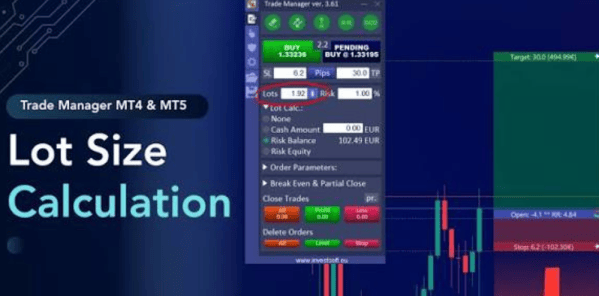
A MetaTrader 4 lot size calculator is a tool that helps traders determine how much of an instrument they should trade based on their risk parameters. Instead of guessing, you enter the relevant figures, and it calculates the lot size.
In most cases, a typical lot size calculator for MT4 will need your account balance, risk percentage, entry price, stop-loss and take-profit levels, and instrument. The calculator processes these inputs and estimates the trade volume needed to keep potential loss within your risk tolerance.
Using a MetaTrader 4 Lot Size Calculator Step by Step
First, you need to have MT4 installed on your device. If you don’t and are looking for a source from which to download the MT4 installation file, why not try these out? You don’t need a live account to try this; you can use a demo account if you are new to trading.
- Define Maximum Risk
Before opening a position, determine how much you are willing to risk. The rule of thumb is don’t use more than 3% on a single trade. So, in this case, if you have $1000 in your account, don’t risk more than $30 on a single trade.
- Identify Your Entry and Determine Your Stop Loss
Next, identify your entry price. This will mostly depend on current market conditions and your trading strategy. The entry price establishes the starting point for calculating the distance to the stop loss.
If your entry price is $200 and your stop loss is $190, then your stop-loss distance is $200 – $190 = $10. Remember, these are just examples to give you a broader picture of how to use the MetaTrader 4 lot size calculator.
- Enter the Information into the Position Size Calculator MT4 or MT5
MT4 and MT5 position size calculators vary since they are custom tools. The values required to calculate lot size may not be the same on each calculator. However, in most cases, you will be required to enter account size, risk percentage, stop-loss price, instrument, and entry price.
The calculator for MT4 or MT5 will then crunch the numbers and produce an estimated position size. However, before submitting the order, double-check the actual trade details in MT4.


